DeckBuilder
Turn a sermon into a ProPresenter 7 presentation, built on your own template. Drop in your highlighted document or pasted text, review the slides, and DeckBuilder drops a finished file on your Desktop, ready to import.
Free with any account.
It reads your sermon and builds the slides for you.
Preach from a manuscript
Run a full speech manuscript, the kind you would read off a teleprompter? Highlight the lines you want on screen and DeckBuilder turns each highlight into a finished slide in seconds. It reads the whole script, tells your scripture from your points, and lays each one out on your own template.
Or work from notes
Not running off a manuscript? Paste your notes instead, with a blank line between each slide, and DeckBuilder builds one slide per block. No highlighting needed.
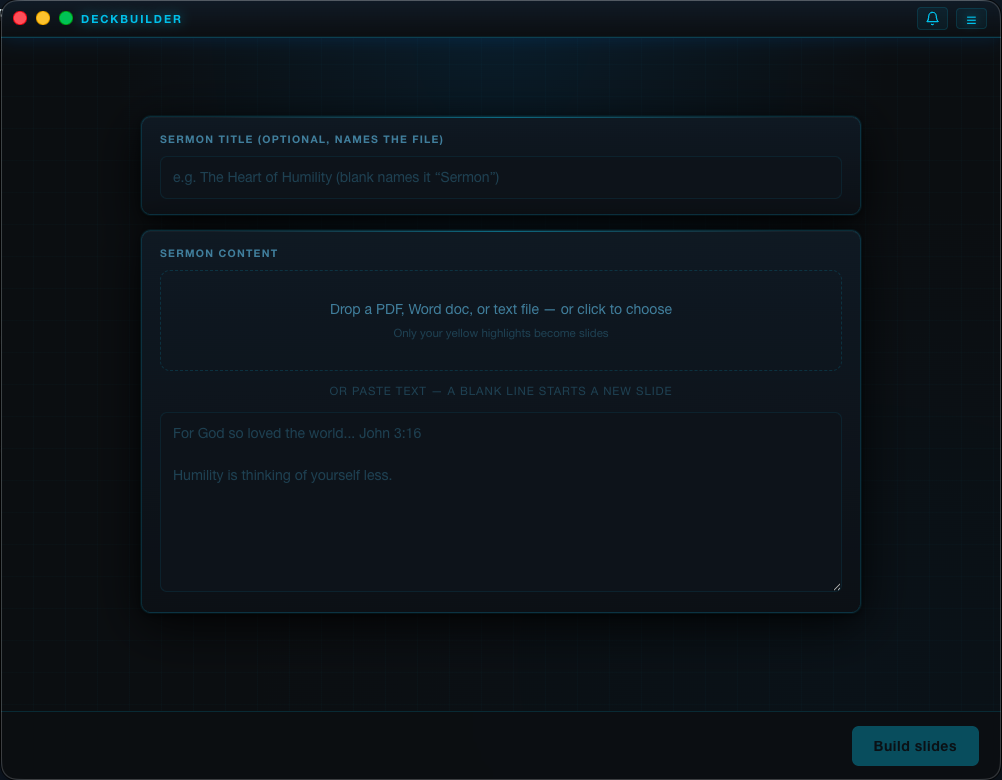
Drop in a document or paste your text
Start by dropping a highlighted PDF, Word doc, or text file, where only your yellow highlights become slides, or paste your sermon straight in and let a blank line start each new slide. Give it a title if you want it to name the file.
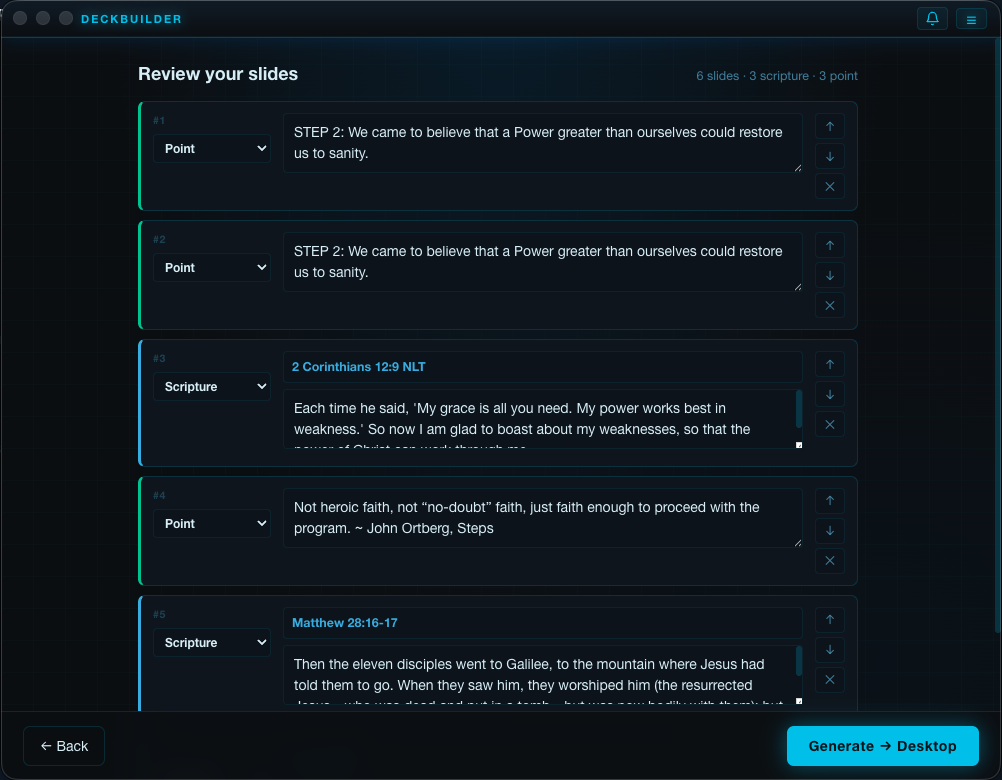
Review every slide before anything is built
DeckBuilder sorts your text into Scripture and Point slides and fills each reference with its verse. Reclassify with the dropdown, retype, reorder, or delete any slide, then click Generate. Nothing is written until you say so.
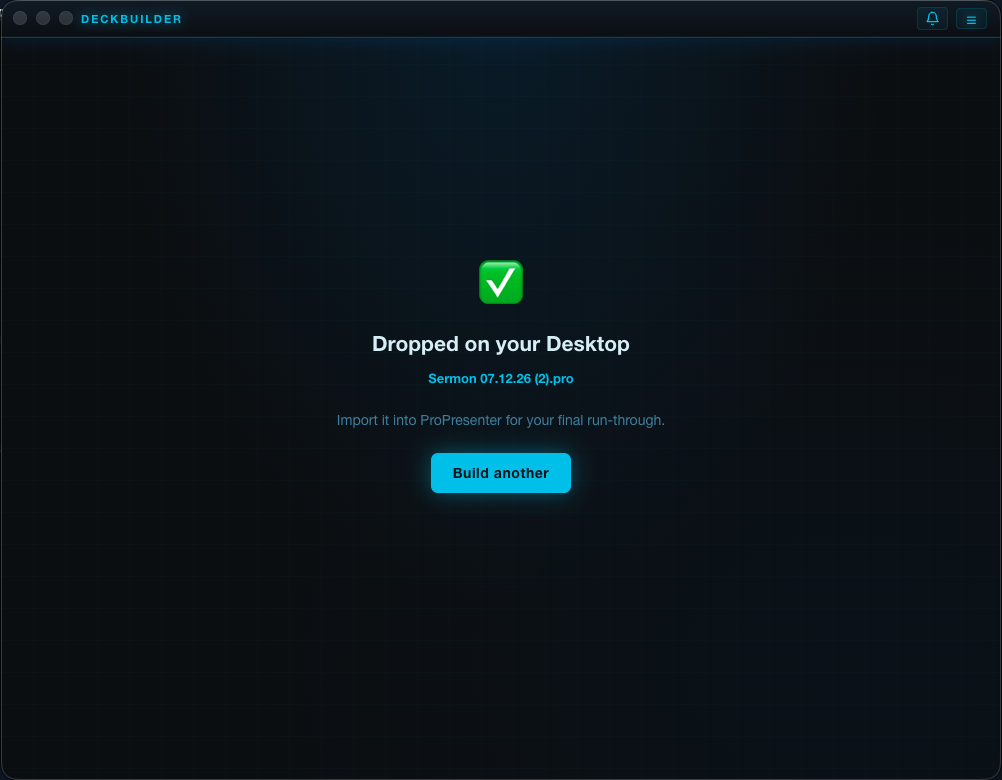
A finished file on your Desktop
When you generate, DeckBuilder builds the presentation on your own ProPresenter template and drops it on your Desktop, named with your sermon and date, ready to import for your final run through.
A head start you finish in ProPresenter.
Built on your own template
DeckBuilder never invents a look. It opens your real ProPresenter template, clones your actual scripture and point slides, and swaps in only the text, so your fonts, colors, background, and layout come across exactly. You build the template once and DeckBuilder remembers it.
Drop in a document or paste text
Drop a PDF, Word doc, or plain text file and DeckBuilder reads your yellow highlighted passages, turning each one into a slide. Other highlight colors stay your private notes. Or paste your sermon straight in, where a blank line starts a new slide.
Knows scripture from your points
A passage with a Bible reference like John 3:16 or Romans 8:28 to 30 becomes a scripture slide and fills your verse and reference boxes; everything else becomes a point slide. It knows all 66 books, abbreviations, numbered books, ranges, and translation tags.
Looks up the verse for you
If a highlight is just a reference with no verse text, DeckBuilder fills it in. KJV is built in and works fully offline; add a free ESV API key in settings if you want ESV.
Review before anything is written
Nothing is generated until you say so. DeckBuilder shows every proposed slide with its type and flags anything it is unsure about. Reclassify, retype, reorder, or delete slides, then click Generate.
A finished file on your Desktop
DeckBuilder writes the presentation to your Desktop, named with your sermon title and the coming Sunday, and reveals it in Finder. Bring it into ProPresenter for your final pass. It is a head start you finish, not a replacement for building the message.
Runs on your Mac, offline once activated
You sign in once with your free producerdash.com account to activate DeckBuilder on this Mac, then it works offline. All the parsing and slide building happens on device, with no AI in the loop.
System requirements
DeckBuilder runs on any Apple Silicon Mac (M1 or newer) with macOS 12 Monterey or later and at least 8GB of RAM, and it builds presentations for ProPresenter 7. Free with any producerdash.com account, on up to 2 Macs: sign in once to activate, then it runs offline. Not available for Intel Macs.
Up and running in 6 steps.
Build your template in ProPresenter
Make a normal ProPresenter 7 presentation and name your slide groups so DeckBuilder can find them: a Scripture group, a Point group, and any fixed slides you want, like Sermon Start to open and Blank to close. Style them however you like.
Download and activate
Sign in to your account, open the Downloads page, and grab DeckBuilder from the free card. Open the DMG, drag it into Applications, then open it and sign in with the same account to activate this Mac. It works offline after that, on up to 2 Macs.
Choose your template
Open the menu in DeckBuilder and point it at your template file, either a .pro or a .probundle exported from ProPresenter. It stays selected until you change it.
Drop in your sermon
Drag in a highlighted PDF or Word doc, or paste your text. DeckBuilder reads your yellow highlights and sorts scripture from teaching points.
Review and generate
Check the proposed slides, fix anything flagged, reorder or retype as needed, then click Generate.
Finish in ProPresenter
Open the file from your Desktop in ProPresenter and do your final pass: wording, media, and anything DeckBuilder could not know.
DeckBuilder is an independent tool and is not affiliated with, endorsed by, or sponsored by Renewed Vision. ProPresenter is a trademark of Renewed Vision, LLC. DeckBuilder builds files for presentations you create and own, using your own ProPresenter template, on your own Mac.