CueCap
Live captions and translation for your service, made right on your Mac. People read along on their phones in their own language, and the same captions can go to your livestream and ProPresenter.
Free with any account. Needs macOS 26 Tahoe or later.
Everyone in the room can follow along.
For the people in the seats
Guests who speak another language, and anyone who is hard of hearing, scan a QR code and read every word on their own phone, in the language they choose.
For everyone watching online
The same captions drop onto your livestream as a clean lower third, through OBS, vMix or an ATEM key, and onto ProPresenter for the room and the stage.
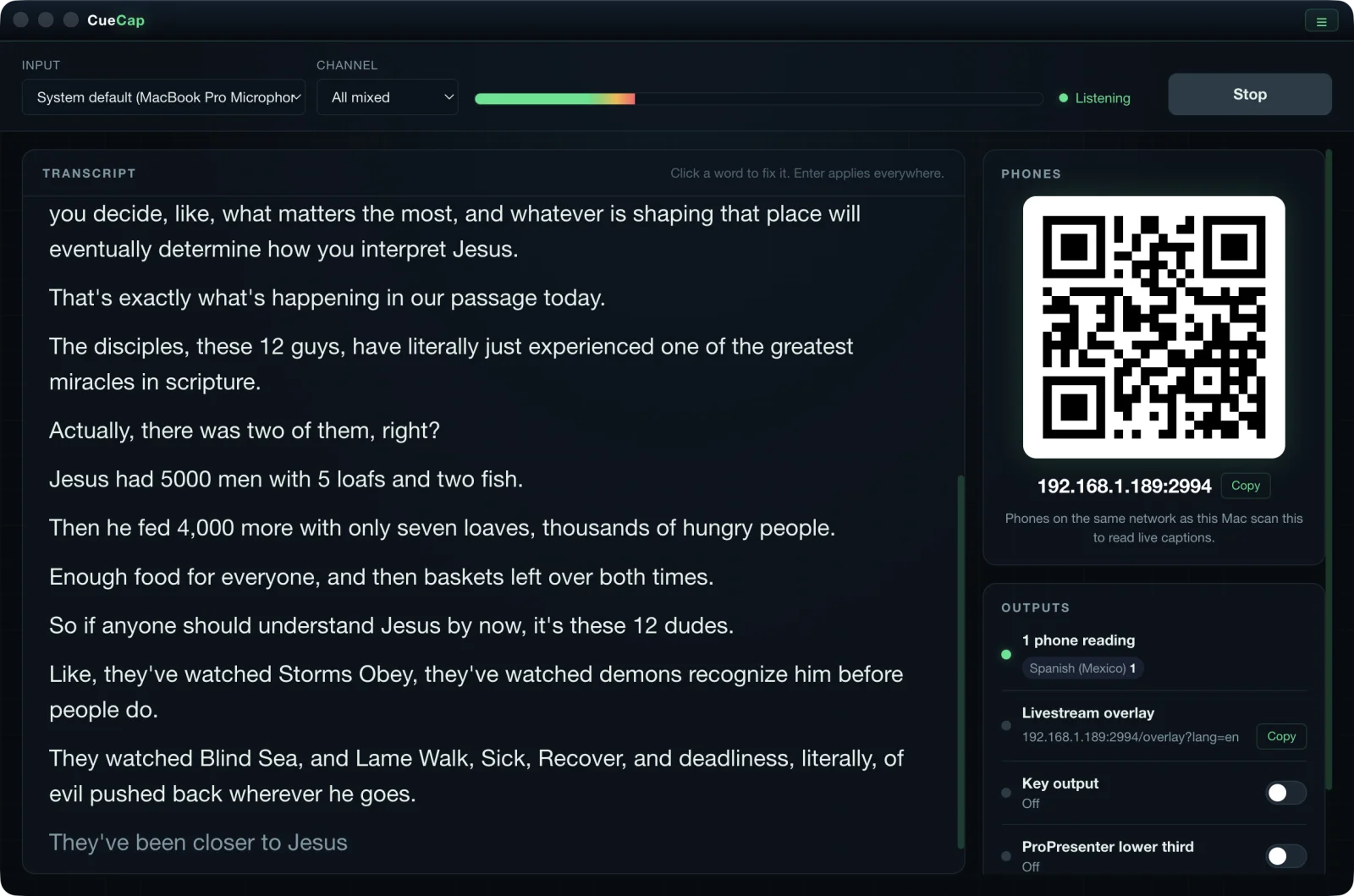
Captions the moment the pastor speaks
Pick the input and channel the pastor is on and press Start listening. Every sentence shows up in the transcript as it is spoken, with the QR code for phones and every output right beside it.
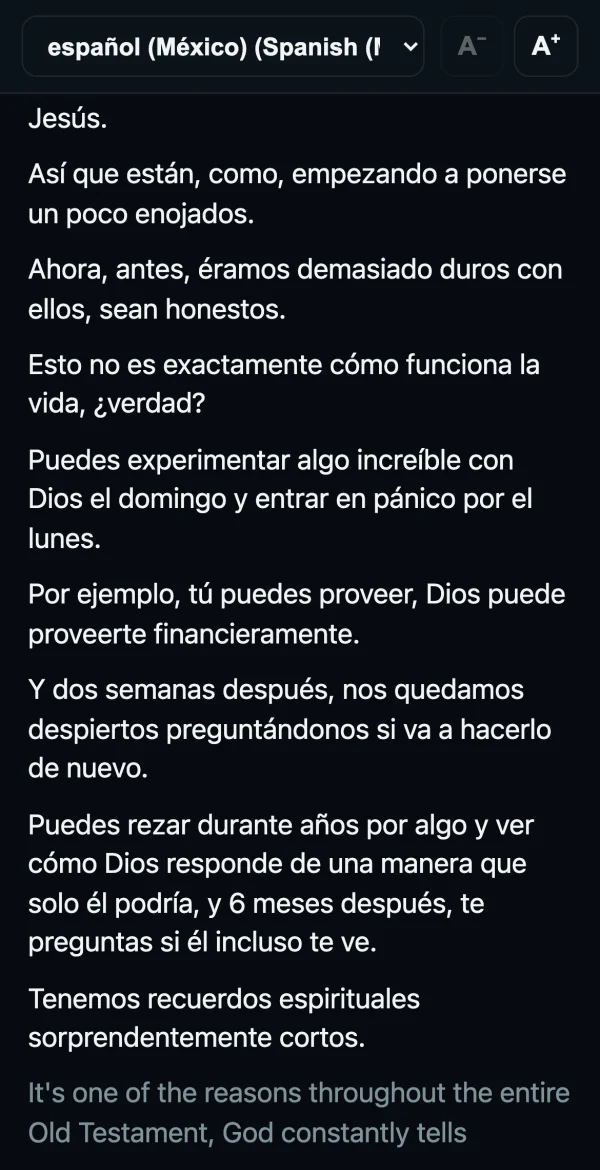
Read along in your own language
People scan the QR code and read live captions on their phone. Each phone picks its own language and text size, and the page reconnects by itself if the Wi-Fi drops.
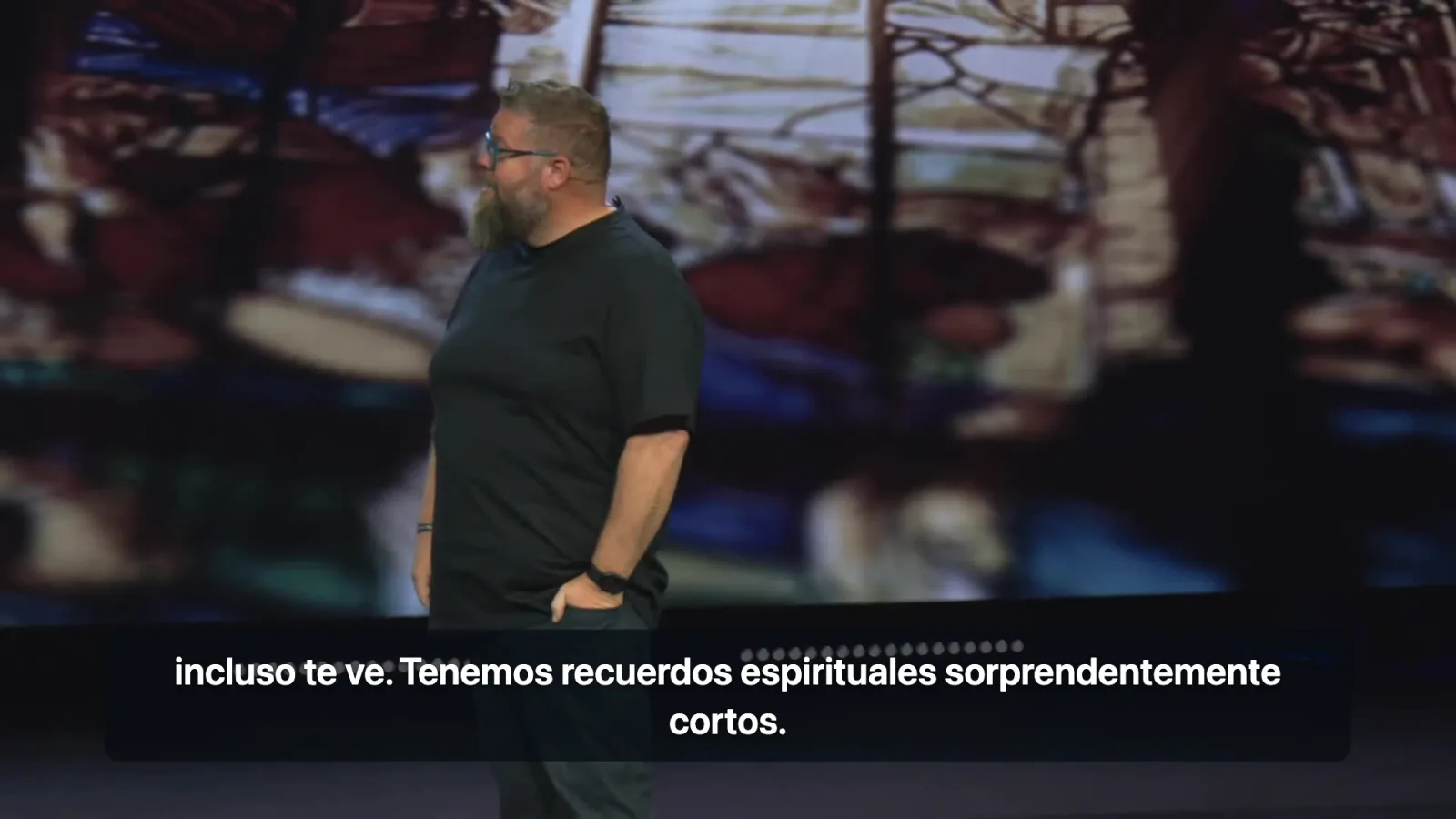
Captions on your livestream
Add the overlay page to OBS or vMix as a browser source for clean lower third captions over your stream, in any language you have installed. For an ATEM, CueCap can send white captions on black or green to a spare screen for a key.
Private, live, and built for Sunday.
Made on your Mac, start to finish
CueCap turns speech into text and translates it right on the Mac at the service. Nothing the pastor says leaves the building. Phones, the overlay and ProPresenter all talk to the Mac over your own network.
Phones in many languages
Put the QR code on a slide or a printed card. Each person picks the language they want and reads along live. CueCap only translates the languages someone is actually reading.
Livestream captions
A transparent overlay page for OBS or vMix, plus a full screen key output for an ATEM, in white on black or white on green.
ProPresenter lower third and stage
Send each finished sentence to a ProPresenter Message as a lower third for the room, and to the stage message for the stage display. Both clear after 10 seconds of quiet.
Fix a word live
Click any wrong word in the transcript, type the fix and press Enter. It changes on every phone, the overlay and ProPresenter, and its translations are redone. Tick Always use this to remember it.
Knows your church
Add your pastors, your church name and your ministries to the word list, one per line. Every book of the Bible and common church words are already built in.
Keeps going when audio drops
If the USB interface is unplugged or Dante Virtual Soundcard restarts, CueCap says why and keeps trying. Captions come back on their own when the input returns.
Before you download
CueCap system requirements
- Mac
- Apple Silicon (M1 or newer)Intel Macs are not supported.
- macOS
- 26 Tahoe or laterThe speech and translation engines CueCap uses are built into macOS 26.
- Memory
- 8 GB of RAM or more
- Disk space
- About 300 MB
- Audio in
- A USB audio interface or a Dante input (Dante Virtual Soundcard)
- Network
- Phones on the same Wi-Fi as the MacInternet is needed once for the first start, and each translation language is a free download in System Settings.
- Works with
- Optional: ProPresenter 7, and OBS, vMix or an ATEM for livestream captions
- License
- Free with a producerdash.com accountUp to 2 Macs. Sign in once, then it works offline.
Up and running in 6 steps.
Download and activate
Sign in to your account, open the Downloads page, and grab CueCap from the free card. Open it and sign in with the same account to activate this Mac. It works offline after that.
Send it the pastor's mic
Feed the pastor's mic into the Mac through a USB audio interface or a Dante channel with Dante Virtual Soundcard. Pick the Input and Channel at the top of the window and watch the meter move.
Install your languages
Add the languages your church needs in System Settings, General, Language and Region, Translation Languages. CueCap shows what is missing and opens the right place for you.
Add your word list
Type your pastors' names, your church name and your ministries into the word list so they come out right.
Share the QR code
Put the QR code on a slide or a card. Phones on the same network scan it and pick a language.
Press Start listening
Turn on the livestream overlay, key output or ProPresenter outputs you want, then press Start listening.
CueCap is an independent tool and is not affiliated with, endorsed by, or sponsored by Renewed Vision or Apple. ProPresenter is a trademark of Renewed Vision, LLC. CueCap talks to ProPresenter only through its public network API.