ClipFlow
Turn Sunday's sermon into short clips for social. Drop in the service recording and ClipFlow finds the five strongest moments, frames them vertical around the pastor, and adds captions and your branding, all on your Mac.
Free with any account.
From one recording to a week of posts.
It does the searching
No more scrubbing through a 40 minute message to find a good minute. ClipFlow reads the whole sermon and hands you five complete moments, each one starting and ending on a full sentence.
You make the call
Watch each clip, trim it a word at a time, and keep only the ones that are right for your church. Then post them to Reels, Shorts and TikTok yourself.
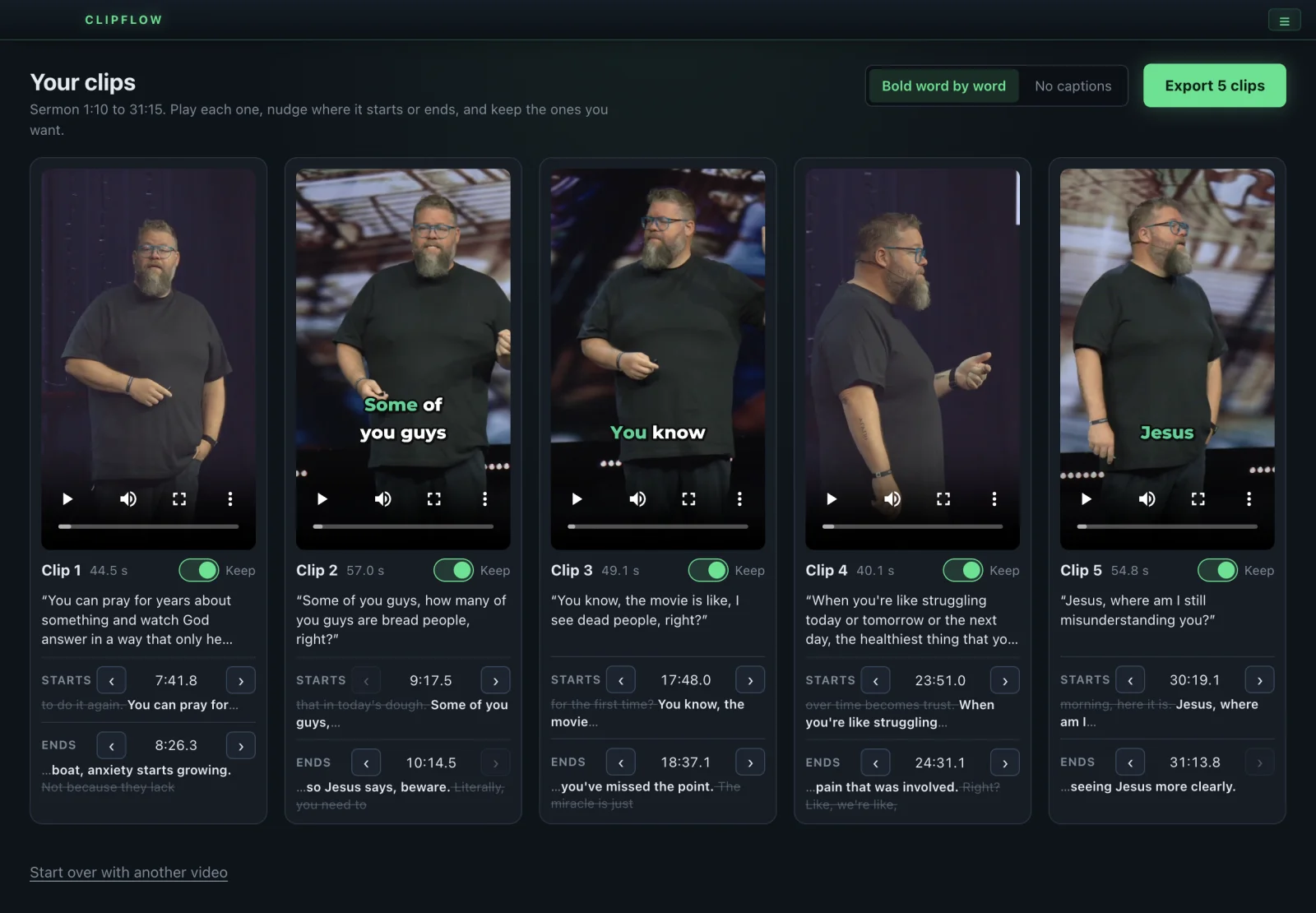
Five clips, ready to review
Drop in the service recording and ClipFlow finds the five strongest moments of the sermon. Play each one, nudge where it starts or ends one word at a time, and keep the ones you want.
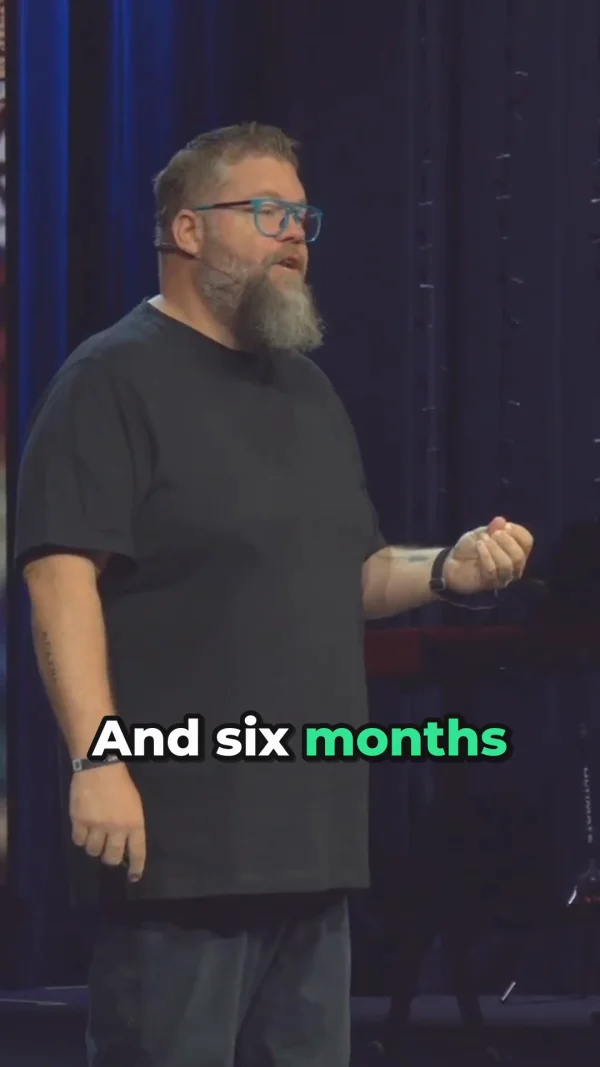
Vertical, following the pastor
Every clip is 1080 x 1920 for Reels, Shorts and TikTok. ClipFlow follows the pastor as they move and adds bold word by word captions, your logo, the title and an end card.
Sermon highlights without the editing bay.
Finds the moments for you
ClipFlow writes down every word of the sermon and looks for the strongest 30 to 60 second moments: complete thoughts, quotable lines, scripture, energy in the voice and the room responding. Each clip starts and ends on a full sentence.
Follows the pastor
The wide shot is reframed to vertical and the frame moves smoothly with the pastor as they walk the stage, and resets cleanly on camera cuts.
Bold word by word captions
Big captions a few words at a time with the spoken word highlighted, placed clear of the buttons on Reels and Shorts. Or choose No captions for any export.
Your branding
Your logo in a corner, the sermon title at the top for the first few seconds, and an end card with your church name and a line like Watch the full message on YouTube. Each one can be turned off.
You stay in charge
Nudge any clip a word at a time, drop the ones you do not want, and export only what you keep. ClipFlow never posts anything for you.
Everything on your Mac
The transcript, the picking and the editing all happen on the Mac. No uploads, no cloud, no monthly fee.
Ready to post
Export writes the clips you kept to a folder on your Desktop, named by the sermon title, and shows them in Finder. Nothing is ever overwritten.
Before you download
ClipFlow system requirements
- Mac
- Apple Silicon (M1 or newer)Intel Macs are not supported.
- macOS
- 13 Ventura or later
- Memory
- 8 GB of RAM or more
- Disk space
- About 900 MBIncludes the on-Mac speech model.
- Video in
- An mp4, mov or m4v recording of your service or sermon
- License
- Free with a producerdash.com accountUp to 2 Macs. Sign in once, then it works offline.
Up and running in 5 steps.
Download and activate
Sign in to your account, open the Downloads page, and grab ClipFlow from the free card. Open it and sign in with the same account to activate this Mac. It works offline after that.
Set up your branding
In Settings, choose your logo and its corner, your church name for the end card, and your caption highlight color. They are remembered for next time.
Drop in the recording
Drag in the service recording. The title is filled in from the file name. You can mark where the sermon starts and ends, or let ClipFlow find it on its own.
Find Clips
Press Find Clips. ClipFlow listens, writes down every word, watches for the speaker and picks the five strongest moments.
Review and export
Play each clip, nudge the start or end, keep the ones you want, pick captions or no captions, and press Export.
ClipFlow is an independent tool and is not affiliated with, endorsed by, or sponsored by Instagram, YouTube or TikTok. Only make clips of messages your church has the right to share.